Repo Hygiene
.gitignore
Sometimes there are files you do not want to be tracked by github. This could be anything from files specific to your computer to items like patient data which should not be stored on the cloud unless allowed so by policy.
Open the
.gitignorefile in your root directory. If your repository does not already have one, create a file named.gitignore: It has to be this exact spelling for git to recognize it.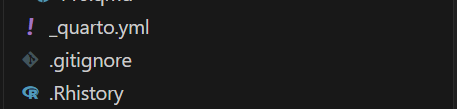
You will know its correct when it has its own icon as seen above
Then create a new file, any type will do but for this lesson I will create a text file called dont_want_tracked
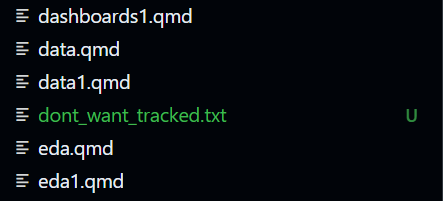
Notice that the file is green in the Explorer. Git colors new, untracked files green.
Then open the gitignore file and add the name of the file you dont want tracked into it.
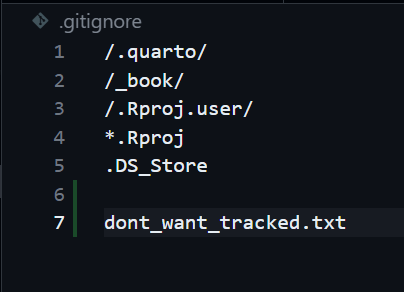
Now you will see the new file, which was green is now grayed out. This shows that github is no longer tracking it and coloring it green (which it does for new files).
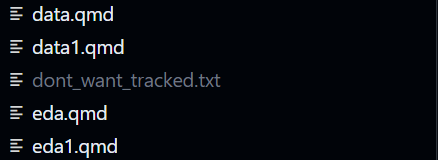
This is simple enough right? Whenever in doubt, ask AI how to stop a file from being tracked by git and it will offer some advice. Now stage and commit this like we have done in the previous tutorial.
For the course workspace, ignore machine-specific files, secrets, .quarto/, and temporary *_files/ support directories. Do not globally ignore *.html or *.pdf: when an assessment explicitly requires a rendered artifact, that file must be committed with its source.
Relative Paths
A relative path starts from the project folder and works in anyone’s Codespace. An absolute path starts from one person’s computer, such as /Users/name/..., and should not be used in submitted work.
For example, if your repository has a folder called data containing nhanes.csv, the relative path is data/nhanes.csv — and it is exactly the same in your Codespace, your teammate’s Codespace, and your grader’s Codespace.
Always use relative paths in your code (e.g., read.csv(“data/nhanes.csv”)), never absolute paths (e.g., read.csv(“/home/user/Documents/nhanes.csv”)). This ensures your analysis runs on any machine—including your grader’s Codespace.
Reproducibility rule: Your term project must run from start to finish in a fresh Codespace. Absolute paths guarantee failure.