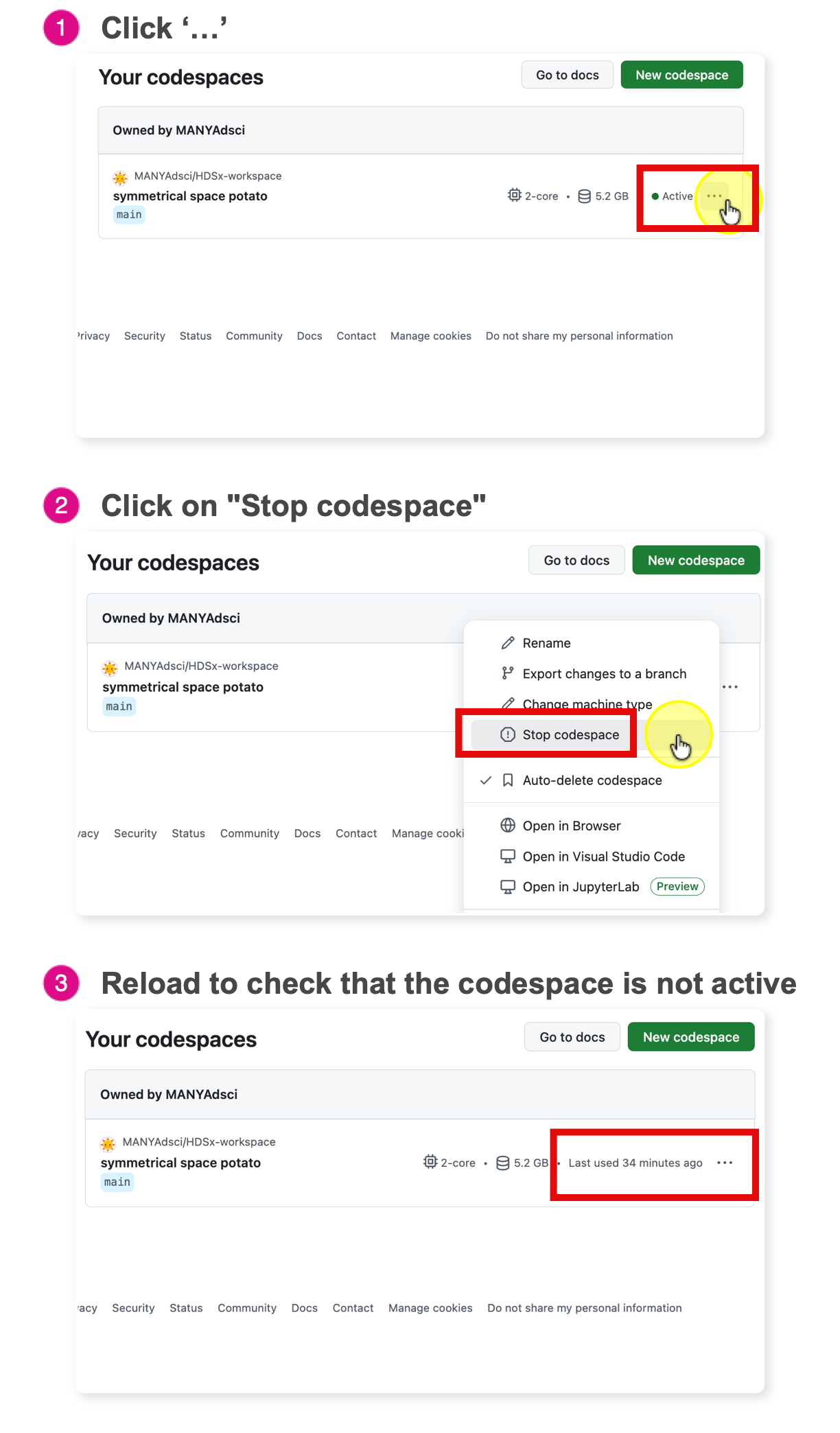
Stop Your Codespace
GitHub Free personal accounts currently include 120 core-hours per month. On the default 2-core course machine, that is about 60 hours of active runtime.
The Analogy: Think of a Codespace like a Taxi.
- Working: When you are coding, the meter is running.
- The Trap: If you just close your browser tab, it is like getting out of the taxi but asking the driver to “wait here.” The meter keeps running.
- The Fix: You must explicitly “end the ride” (Stop the Codespace).
Correct shutdown
- Go to the Codespace Dashboard: https://github.com/codespaces
- This is your command center.
- Find your active Codespace
- Look for the green text that says “Active”.
- Click
...(The “Meatball” Menu)- It is located on the far right side of the Codespace box.
- Click Stop Codespace
- Stop: This stops compute usage while keeping saved files and the installed environment available for the next restart. Running programs and in-memory R or Python objects stop. (Recommended)
- Delete: This destroys the computer. You will have to wait 2-3 minutes for the “Boot Up” phase next time you start.
Critical Warning: Closing the browser tab is NOT enough.
By default, GitHub keeps the machine running until 30 minutes of inactivity have passed after you close the tab. Students can change this idle-timeout setting, so stop the Codespace explicitly rather than waiting.
The Cost: If you just close the tab every day, you will waste ~15 hours of your monthly quota on empty time.