The Loading Dock (Data Import)
Don’t type file paths from memory; you will likely make a typo.
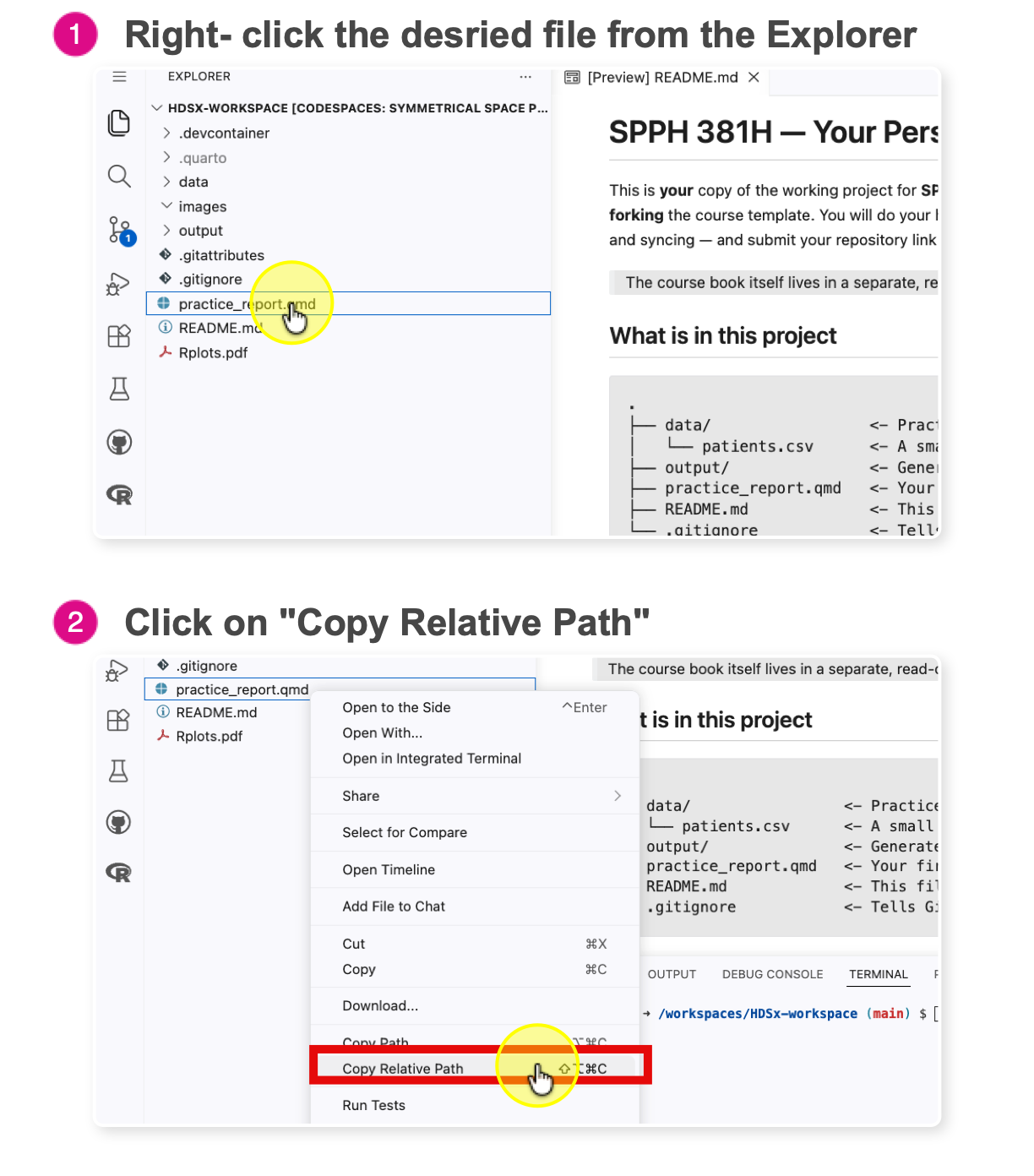
Find a data file in the Explorer (left sidebar).
-
Right-click the file → Select Copy Relative Path.
Ask AI: “Read the CSV at [Paste Path Here] and save it as my_data.”
Mini-Examples: Read In, Write Out
What to do with this code: Modify — swap in your own file names, then run it.
If R says the file does not exist, re-copy the relative path from the Explorer (step 2 above). For write_csv(), create the output/ folder first if it does not exist.