Files vs Folders
We use a consistent structure to ensure reproducibility. In Data Science, being “organized” isn’t just about being neat—it is a requirement for your code to work on someone else’s machine.
The Golden Rule of Health Data
We treat data like a Crime Scene—never touch the evidence.
- Start:
data/(The Crime Scene). READ ONLY.- Rule: Never open a dataset in Excel and “fix” a typo. That is tampering with evidence.
- Correct Way: Load the “dirty” data into R/Python and fix the typo using code. This leaves a trail of exactly what you changed.
- End:
output/(The Evidence). All graphs and cleaned tables go here. - The Detective: Your code (
.qmd) moves information from Start to End.
Files vs. Folders (The Mental Model)
- Files (e.g.,
report.qmd): These are sheets of paper. You write on them. - Folders (e.g.,
data/): These are labeled boxes. You store things in them.
Create a folder
In Explorer:
- Right-click anywhere in the blank space of the Explorer pane.
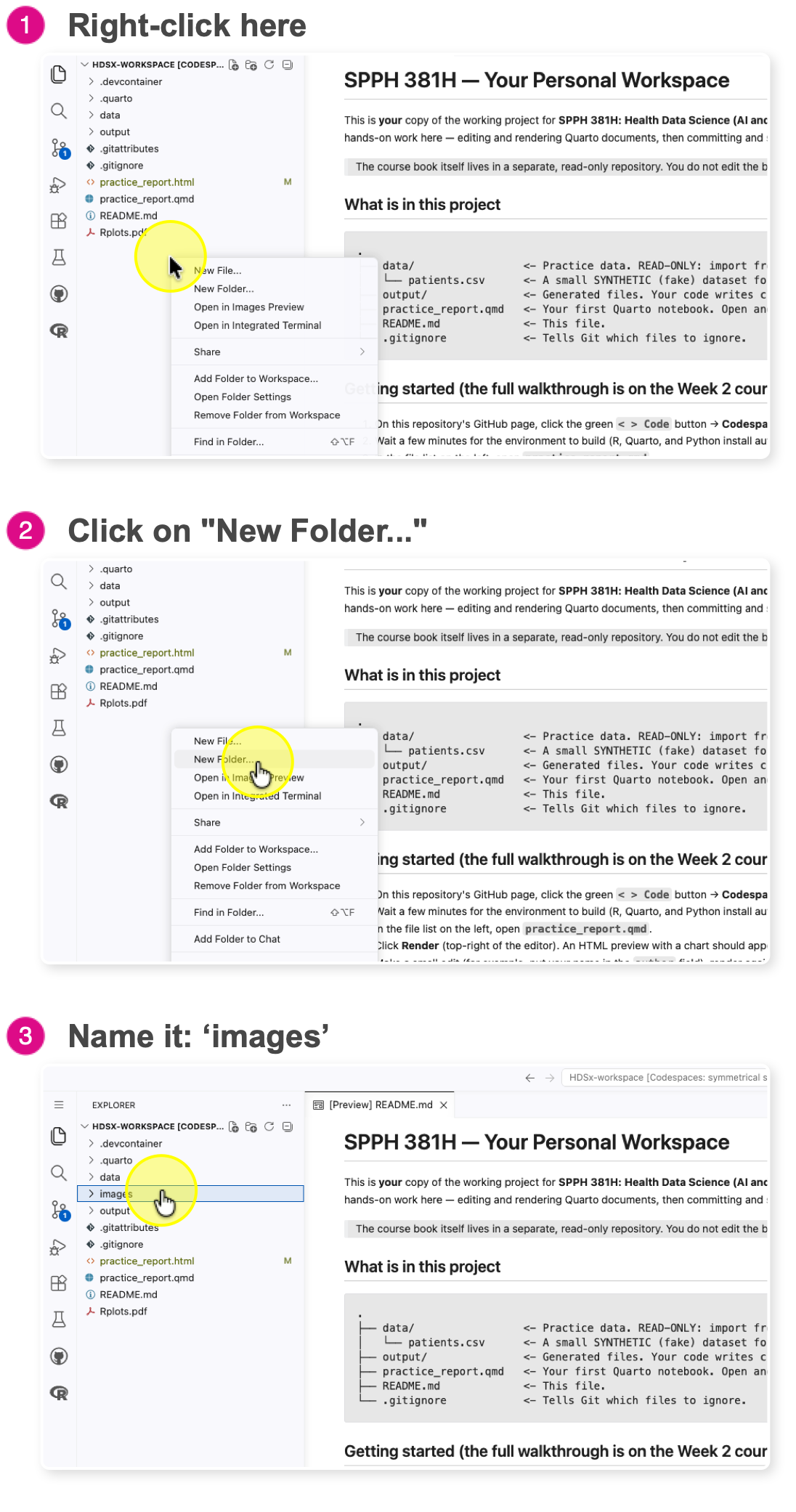
- Select New Folder
- Name it:
imagesPro Tip: Always use lowercase and no spaces for folder names (e.g., my_data, not My Data). Computers struggle with spaces in file paths.
Typical structure
Your project should always look like this:
data/      raw data
output/    generated results
images/    screenshots
.qmd       reports
Remember: The data folder is for input. The output folder is for results. They should never mix.