Git Basics
The Audit Trail: Git records who changed what.
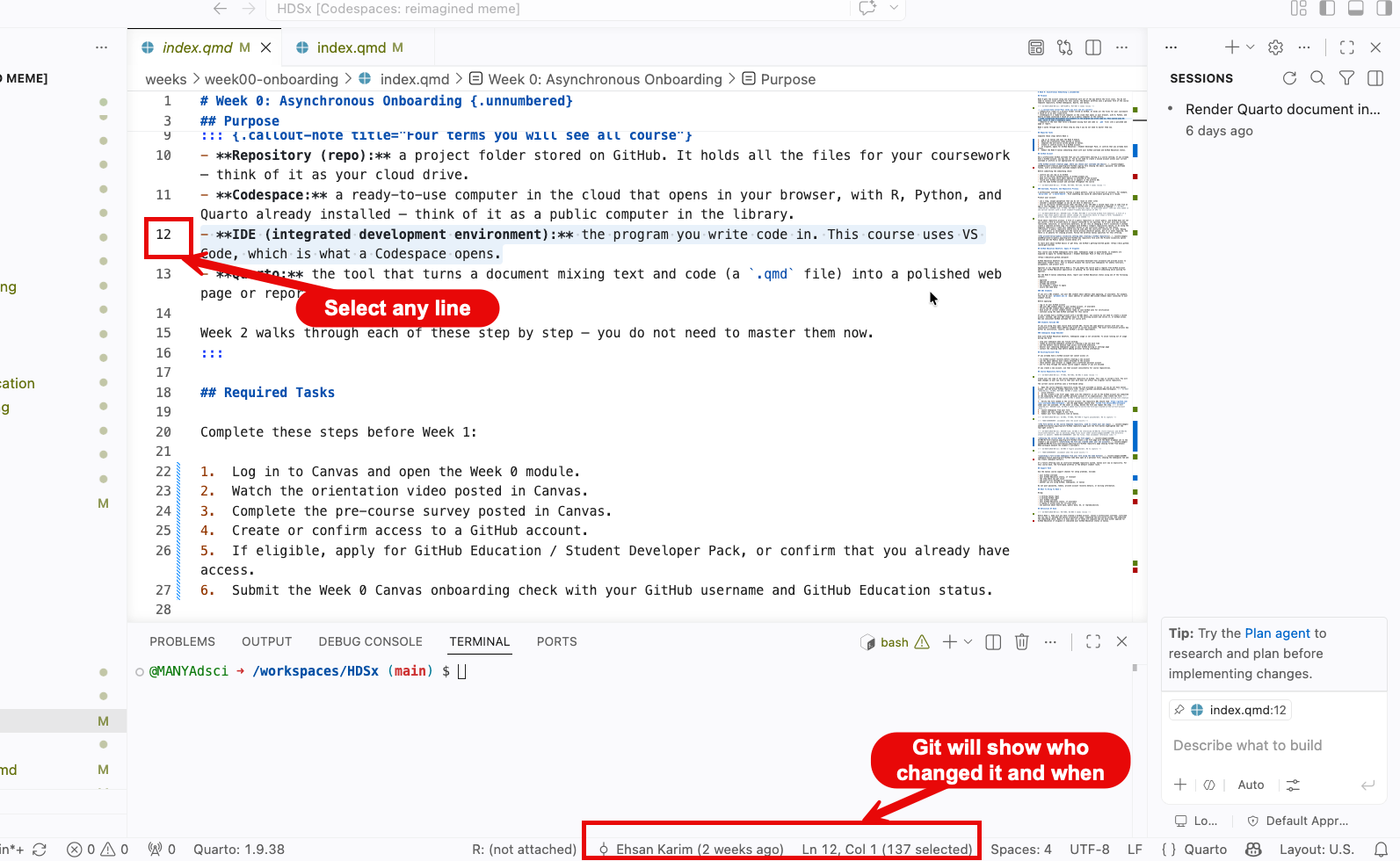
Selecting any line will show who changed that line and when they did so.
The Timeline: A sequence of safe checkpoints (commits). This shows the reason behind each change and what was change. These checkpoints can always be reverted back to if the need be.
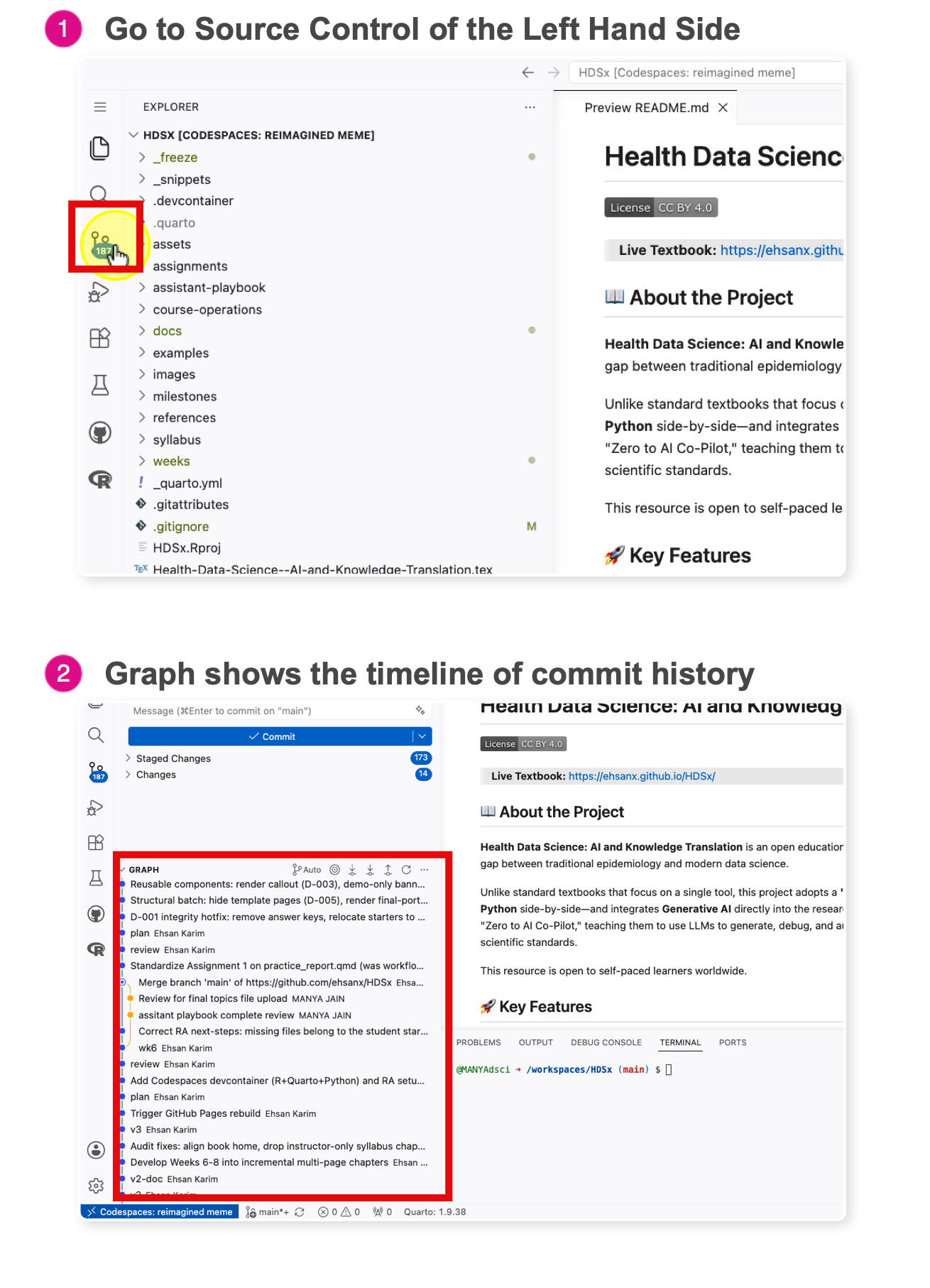
This tree shows every commit (checkpoints) Where do you find this Timeline? In your Codespace, open any file, then look at the bottom of the Explorer panel (the left sidebar) for the Timeline section. Click any entry to see what the file looked like at that checkpoint. To undo edits you have not committed yet, use Discard Changes in Source Control — the Time Travel tutorial walks through that rescue step. If you ever need to go back to an older commit, ask the teaching team for help rather than experimenting with reset commands.
The Language of Diffs:
A diff shows what changed between two versions of a file.
Red (-): Removed lines.Green (+): Added lines.
Observbing this image, we see that line 11 was replaced, the old data on line 11 is colored red, while the new changes are shown in green.
Key Rule: Saving writes to disk on your computer. Committing writes to history. Commit saves a checkpoint inside your local Codespace. Push or Sync Changes sends that checkpoint back to GitHub so it is visible in the online repository.